Run a Blacklight Node
Anyone in the community can run a permissionless Blacklight verifier node. These nodes continuously challenge and verify Trusted Execution Environment (TEE) workloads, helping to ensure the security and correctness of applications running on the Blind Computer.
By running a Blacklight node, you contribute to the network's security while earning rewards.
Prerequisites
Ensure you have NIL and ETH on Nillion's Ethereum L2. You can find a prerequisites guide here.
Your Blacklight node must be online 24/7 to handle verification tasks. We recommend running it on a VPS. As a guideline, a node should have at least 2 CPU cores, 1 GB of RAM, and 1 GB of available storage.
Walkthrough
Below is a high‑level walkthrough of the full process so you know what to expect. If you get stuck during this walkthrough, feel free to reach out to us on Discord.
Select Platform & Install Docker
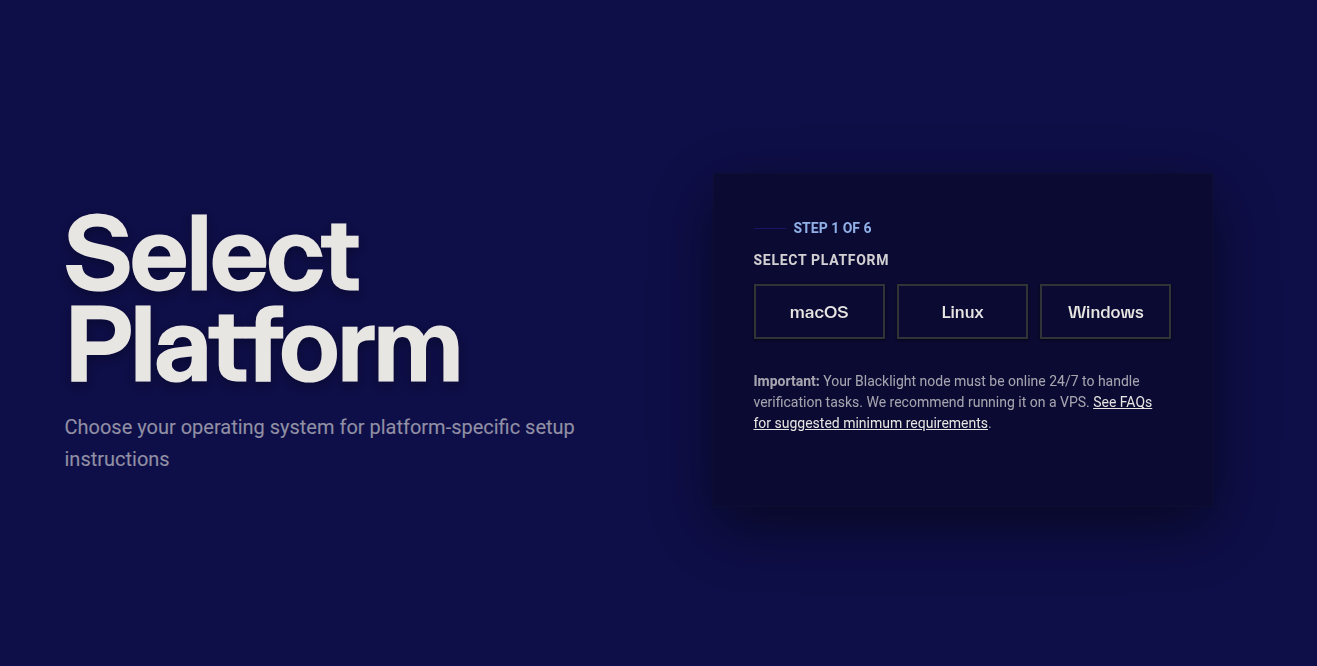
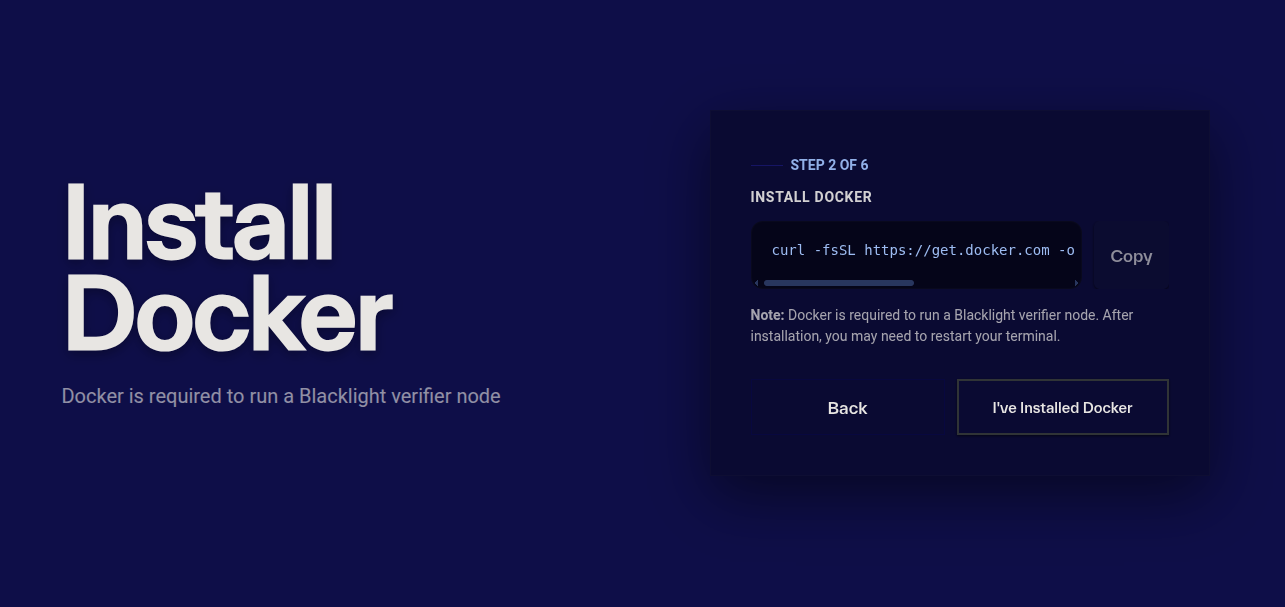
Blacklight verifier nodes run inside Docker containers. Install Docker for your operating system using the instructions below.
- macOS
- Linux
- Windows
brew install --cask docker
Alternatively, you can download Docker Desktop instead.
curl -fsSL https://get.docker.com -o get-docker.sh
sudo sh get-docker.sh
Download and install Docker Desktop for Windows.
After installation, you may need to restart your terminal.
Setup & Run Node
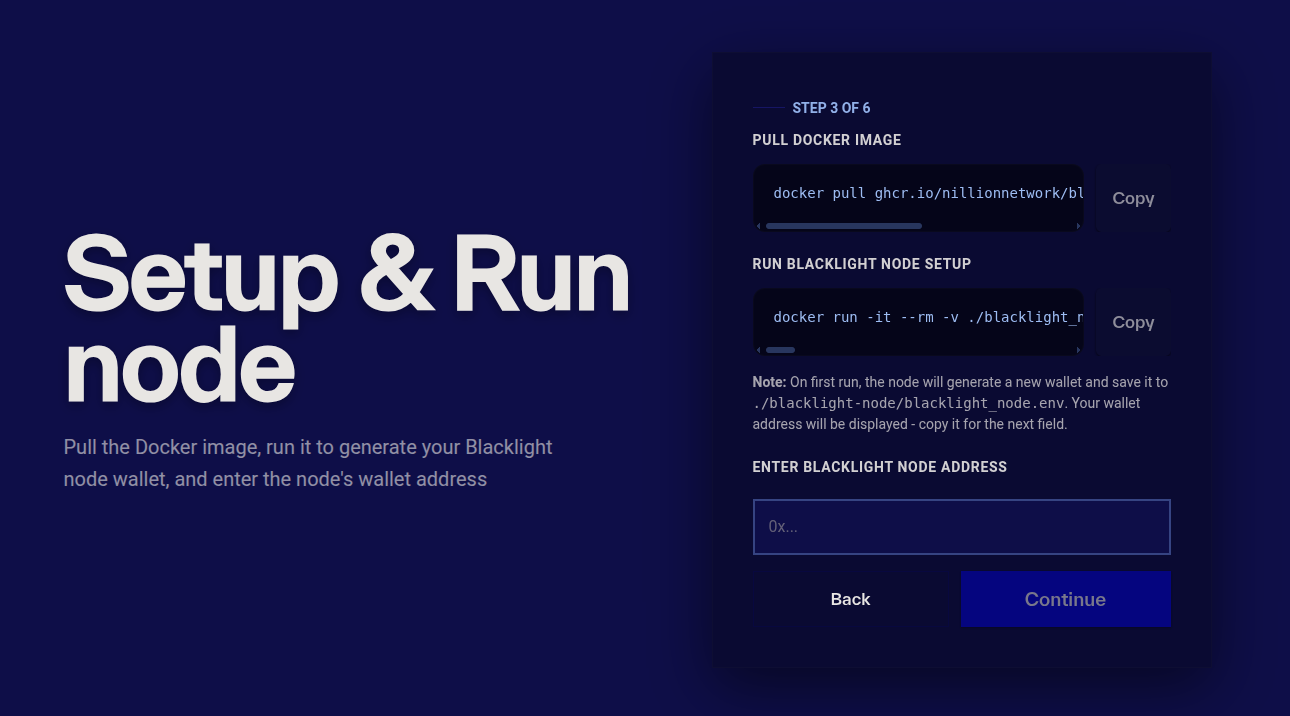
First, pull the Blacklight node Docker image:
docker pull ghcr.io/nillionnetwork/blacklight-node/blacklight_node:0.9.0
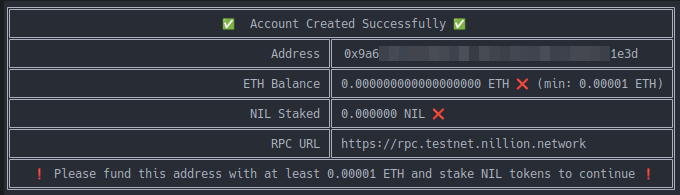
Next, run the node once to initialize it and generate a wallet:
docker run -it --rm -v ./blacklight_node:/app/ -v ./blacklight_node:/tmp/blacklight-cache ghcr.io/nillionnetwork/blacklight-node/blacklight_node:0.9.0 --rpc-url https://rpc.testnet.nillion.network --manager-contract-address 0x8d683fb2CC794E085E8366c4f28f8CC991107576 --staking-contract-address 0x595A112FA10ED66Bc518b28781035BA50C9f2216 --token-contract-address 0x69AD6D3E17C99A3f66b5Ae410a5D1D4E14C7da35
On first run, the node will:
- Generate a new wallet address
- Save it locally to
./blacklight_node/blacklight_node.env - Print the wallet address to the terminal
You will need this wallet address in the next steps.
The .env file contains your Blacklight node's keys. Ensure you keep a copy.
Stake NIL Tokens to your Blacklight Node
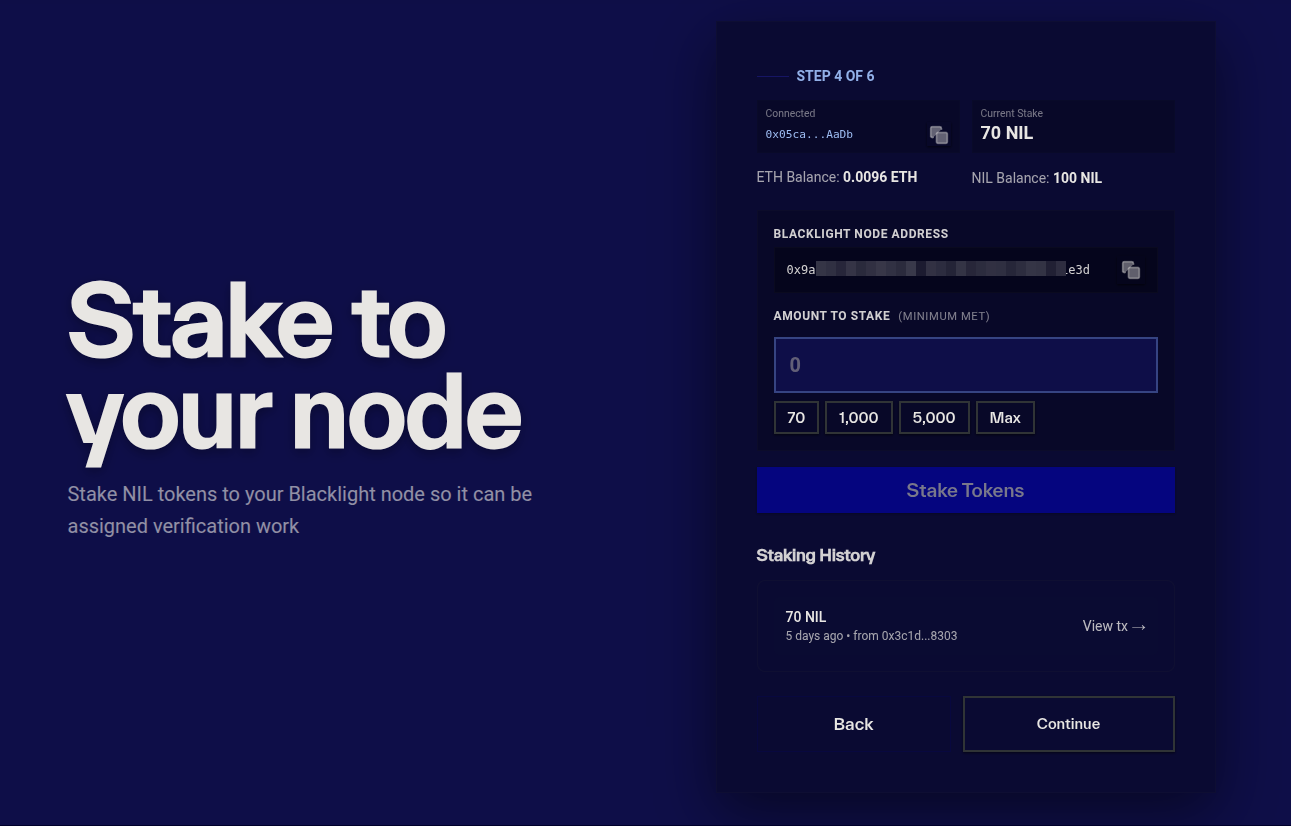
Next, you will stake NIL tokens to your Blacklight node. To be assigned verification work, your node must have at least 70,000 NIL staked.
In the webapp, enter the amount you would like to stake to your Blacklight node, click stake and sign the transaction in your wallet.
Add ETH to your Blacklight Node
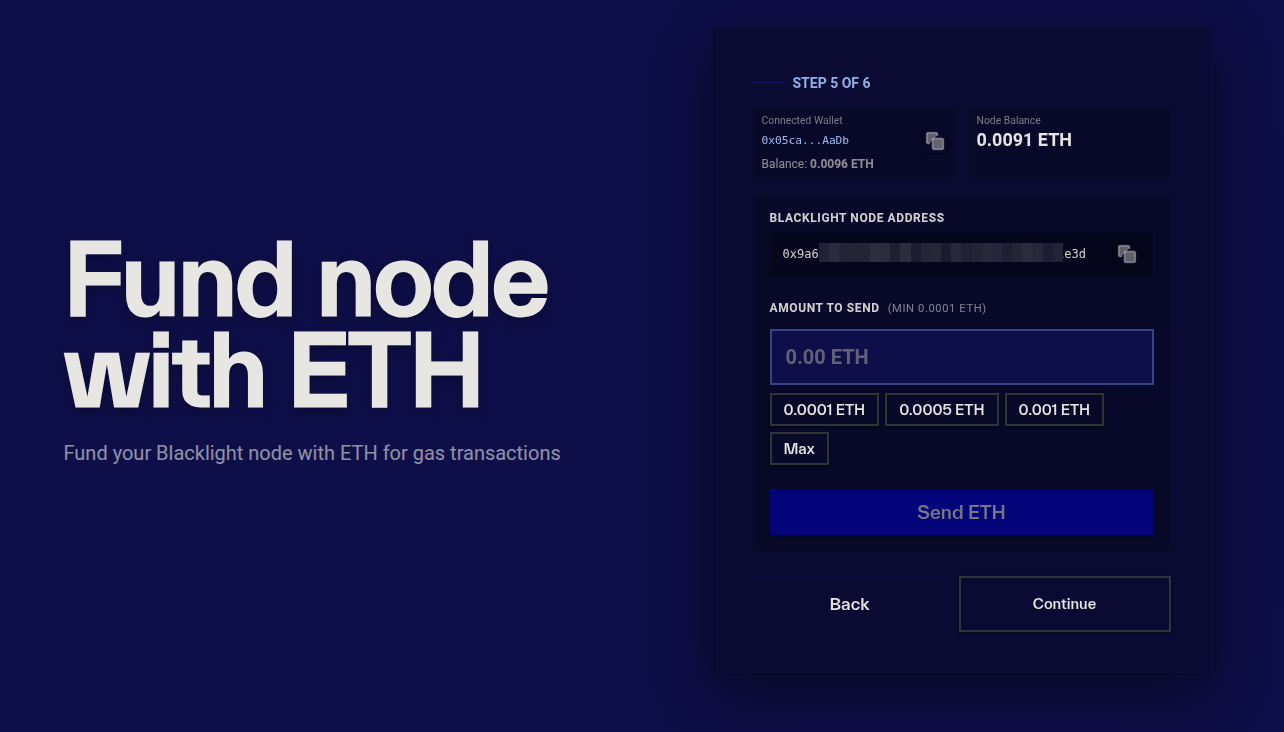
Your Blacklight node will need a small amount of ETH on Nillion's L2 to pay for gas when sending verified transactions back to the L2.
In the webapp, enter the amount of ETH you would like to fund your node with and confirm the transaction.
We recommend funding the node with between 0.0001 ETH and 0.001 ETH, which should be enough for a number of weeks of verifications.
Start Node
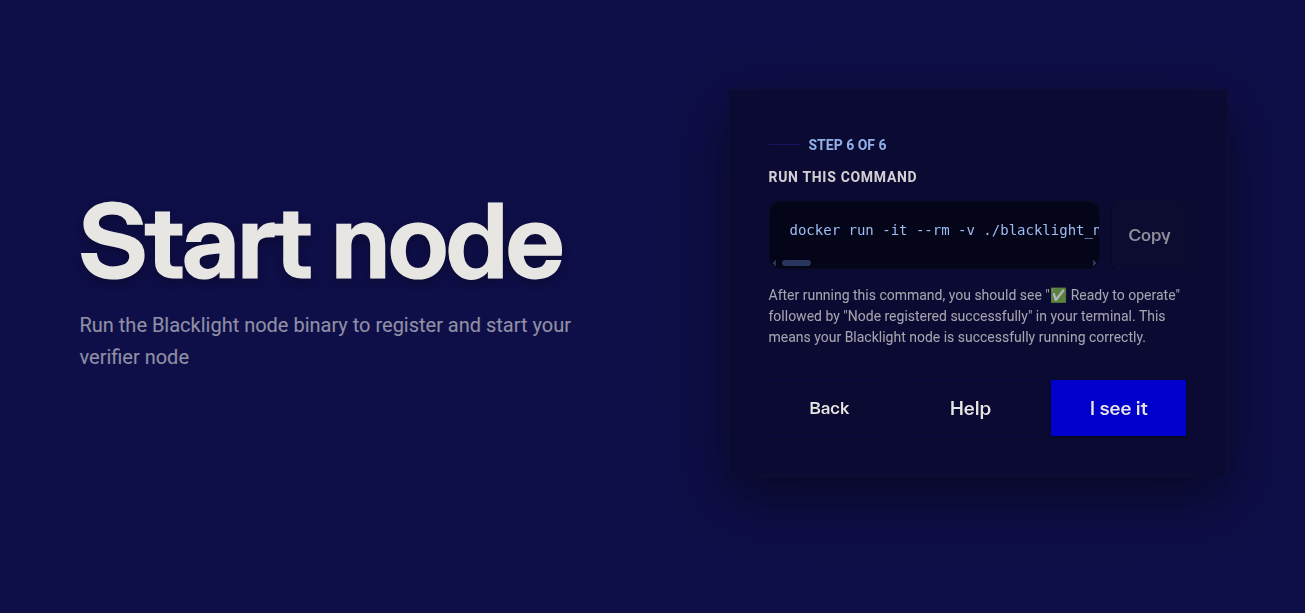
Finally, you need to set your Blacklight node running. Run the command below.
docker run -it --rm -v ./blacklight_node:/app/ -v ./blacklight_node:/tmp/blacklight-cache ghcr.io/nillionnetwork/blacklight-node/blacklight_node:0.9.0 --rpc-url https://rpc.nillion.network --manager-contract-address 0x0Ee49a8f50293Fa5d05Ba6d1FC136e7F79b2eA4f --staking-contract-address 0x89c1312Cedb0B0F67e4913D2076bd4a860652B69 --token-contract-address 0x32DEAe728473cb948B4D8661ac0f2755133D4173
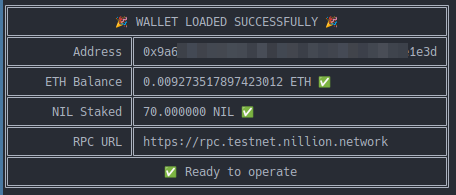
After running this command, you should see "✅ Ready to operate" followed by "Node registered successfully" in your terminal. This means your Blacklight node is successfully running correctly.
Node Dashboard
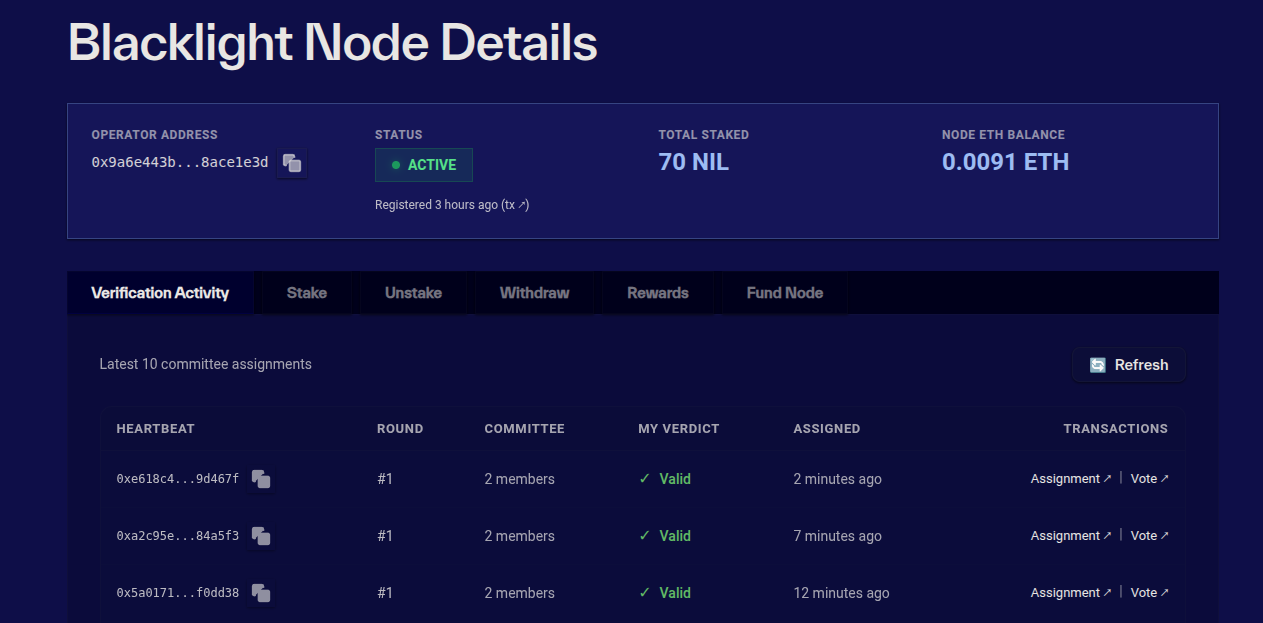
Once your node is running, you can monitor it in the dashboard. Here you can view the status and manage your node.
You can stake, unstake and then withdraw your funds. Note there is a 7 day unbonding period. Only after this period, you can withdraw your funds.
You can also claim your rewards (to the wallet you staked from) and fund your Blacklight node with more ETH.